01 · Overview
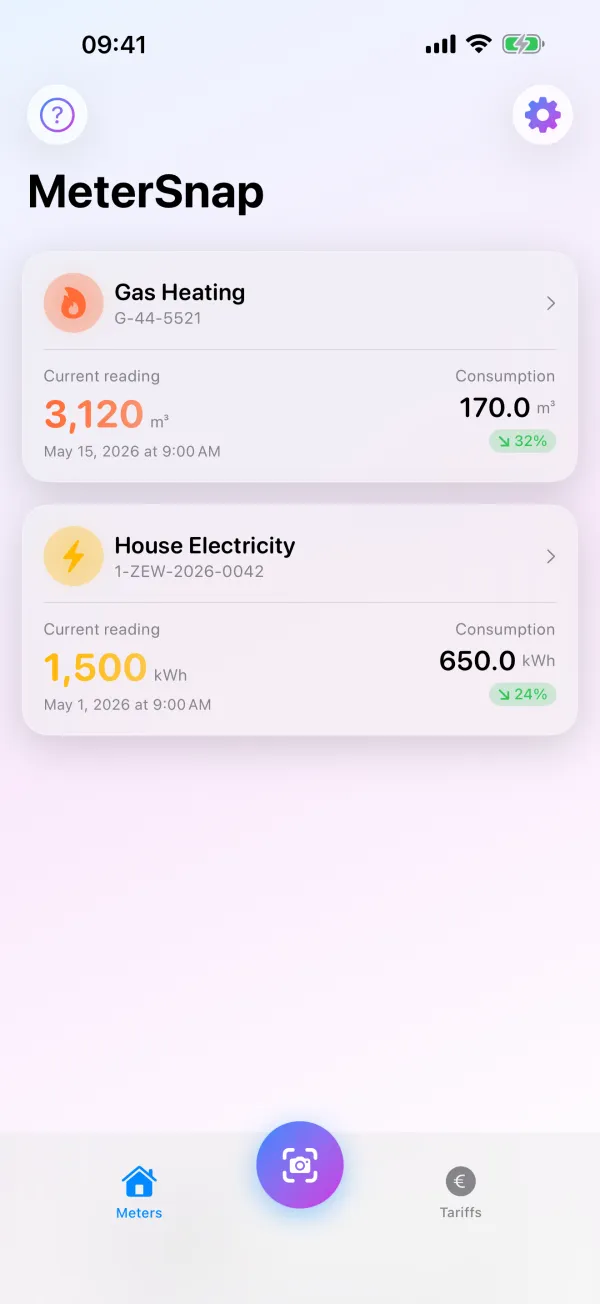
All meters at a glance.
Electricity, gas and water with the current reading, the date it was taken and the consumption since the previous reading.
 MeterMind
DE
MeterMind
DE
Meter readings for electricity, gas and water
Point the camera at your meter, check the recognised value and save it. MeterMind works out consumption and costs – no account, no tracking, with your data in your own iCloud.
Sound familiar?
When did you last read the meter? And what did the winter cost? MeterMind keeps every reading in one place and does the maths for you.
Power: 17,400 – or 17,040?
Gas … the note is in the kitchen
Water: forgot
What does this cost per month anyway?
Features
Real screens from the app, with sample data.
01 · Overview
Electricity, gas and water with the current reading, the date it was taken and the consumption since the previous reading.
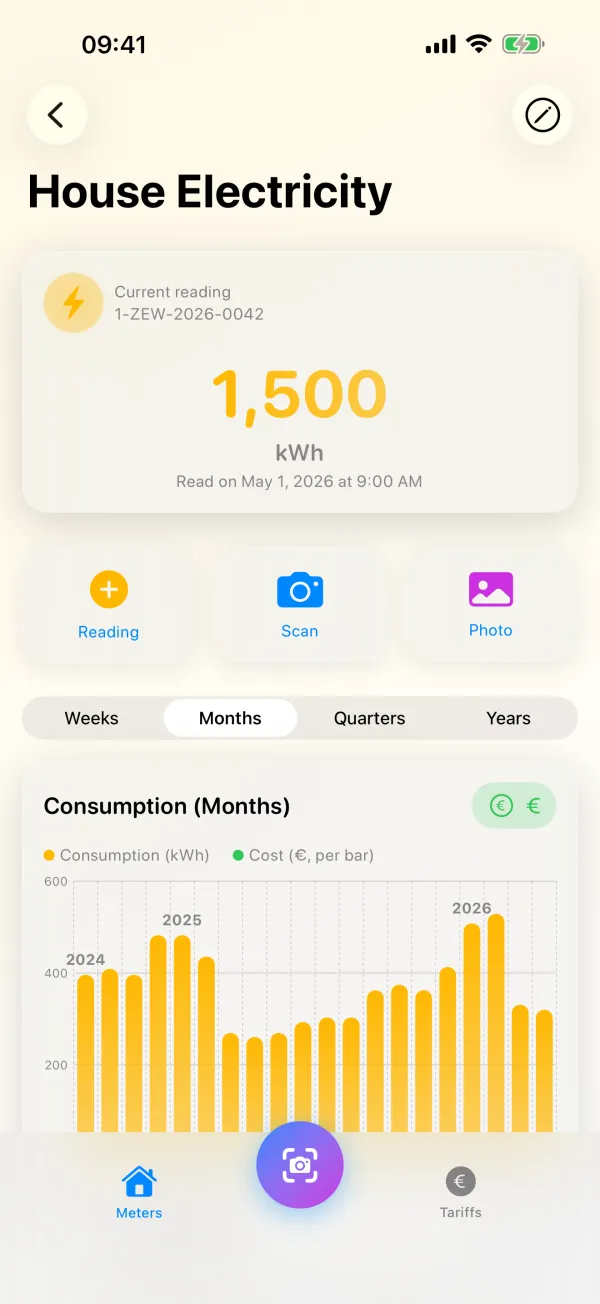
02 · Capture
Live recognition with the camera, a photo from your library or manual entry. You check the recognised value before it is saved. The chart shows your consumption by weeks, months, quarters or years.
Recognition runs entirely on your iPhone.
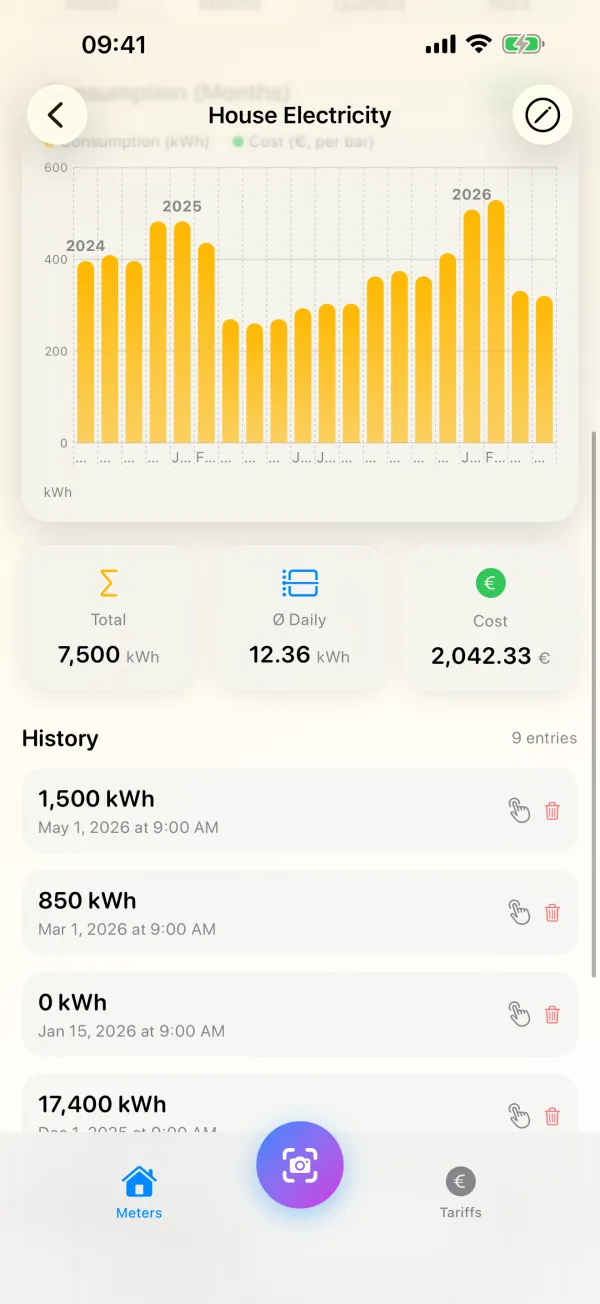
03 · Costs
Add unit price and base price per meter. MeterMind shows total consumption, daily average and estimated costs, with every single reading below.
Enter gas tariffs in €/kWh; MeterMind converts the m³.
04 · Switching
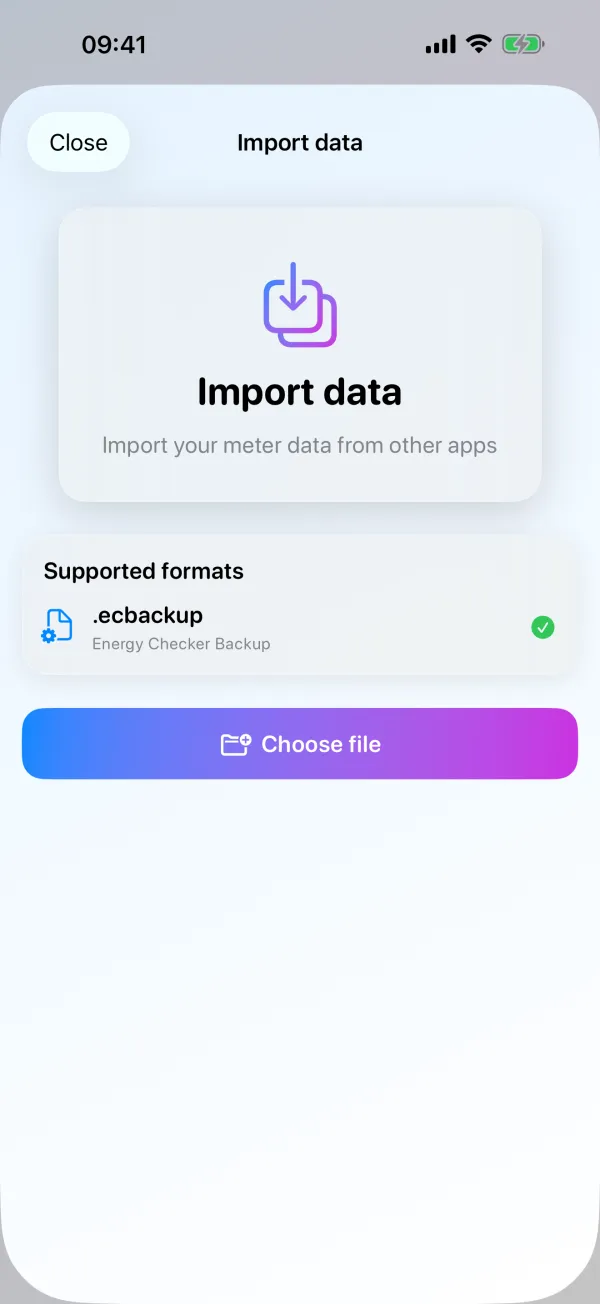
Using Energy Checker so far? Import its backup (.ecbackup) with meters, readings and costs.
New meter installed? Record the replacement and consumption carries on seamlessly.
If a value looks implausible, the app points it out before you save.
The app is available in English and German.
Three steps
Pick the type, give it a name and, if you like, let a photo fill in the meter number.
Scan, pick a photo or type. You check the value and confirm it.
The app works out consumption and, with your tariff, the estimated costs.
Privacy
There is no server of mine for your data. It stays on your iPhone and in your own iCloud.
No sign-up, no email address, no password.
No ads, no analytics, no third-party code.
Text recognition runs on your iPhone. Images are not sent anywhere for it.
Sync between your devices runs through your private iCloud. I have no access to it.
All details, including stored photos, in the Privacy Policy.
FAQ
Same app. MeterMind is its name in the English App Store, MeterSnap in the German one, so you may also see the name MeterSnap.
Nothing. There are no in-app purchases, no subscription and no ads.
No. Your data is kept on your iPhone and, if you are signed in to iCloud, in your own iCloud.
Classic mechanical counters work best. Digital LCD displays are not yet recognised reliably; just type the value in. You check every recognised value before it is saved.
Not with live recognition. If you use a photo from your library or photo mode, the app stores the photo with the reading on your iPhone and, with iCloud, in your iCloud. More in the Privacy Policy.
No. Consumption and costs are estimates from your entries and tariffs. Your utility’s bill is what counts.
Right in the app: single readings, meters or everything at once. The exact steps are in the Privacy Policy.
Get MeterMind, add your meters and scan your first reading.